

If you’ve been searching for web hosting solutions, you’ve probably come across terms like VPS hosting, dedicated servers, cloud servers, and shared hosting. This guide explains what a VPS Server is, how it works, and when you should consider using one.
For beginners, these terms can be confusing.
One of the most common questions people ask is:
What is a VPS server, and do I actually need one?
The short answer is simple:
A VPS server gives you your own dedicated resources inside a larger physical server, providing better performance, security, and control than shared hosting without the cost of a dedicated server.
Let’s break it down in simple language.
What Is a VPS Server?
VPS stands for Virtual Private Server.
Think of a large apartment building.
The entire building represents a physical server.
Inside that building are multiple apartments.
Each apartment belongs to a different tenant and has its own:
- Private space
- Electricity
- Furniture
- Lock and key
Even though everyone shares the same building, each apartment operates independently.
A VPS server works the same way.
A powerful physical server is divided into multiple virtual servers using virtualization technology.
Each VPS receives its own:
- CPU
- RAM
- Storage
- Operating System
- Network Resources
This means your VPS operates independently from other users on the same physical machine.
How Does a VPS Server Work?
A hosting provider uses virtualization software to divide a physical server into several isolated virtual environments.
Each virtual environment behaves like a separate server.
From the user’s perspective, it feels like having an independent server without paying for an entire physical machine.
Because resources are allocated separately, other users cannot easily impact your VPS performance.
This makes VPS hosting significantly more reliable than traditional shared hosting.
VPS Server vs Shared Hosting:
Many website owners start with shared hosting because it’s inexpensive.
However, shared hosting comes with limitations.
| Feature | Shared Hosting | VPS Server |
|---|---|---|
| Performance | Shared Resources | Dedicated Resources |
| Security | Shared Environment | Better Isolation |
| Root Access | No | Yes |
| Scalability | Limited | Flexible |
| Customization | Limited | Extensive |
| Reliability | Moderate | High |
As websites grow, many businesses eventually upgrade from shared hosting to VPS hosting.
Why Businesses Choose VPS Servers Over Shared Hosting:
Businesses choose a VPS server because it offers the perfect balance between affordability and performance.
Key benefits include:
1. Better Performance
Dedicated resources help websites and applications run smoothly even during traffic spikes.
2. Greater Control
Most VPS plans include administrator or root access.
3. Improved Security
VPS environments are isolated from other users.
4. Scalability
Resources can often be upgraded without migrating to a new server.
5. Cost Efficiency
A VPS offers many of the benefits of a dedicated server at a much lower cost.
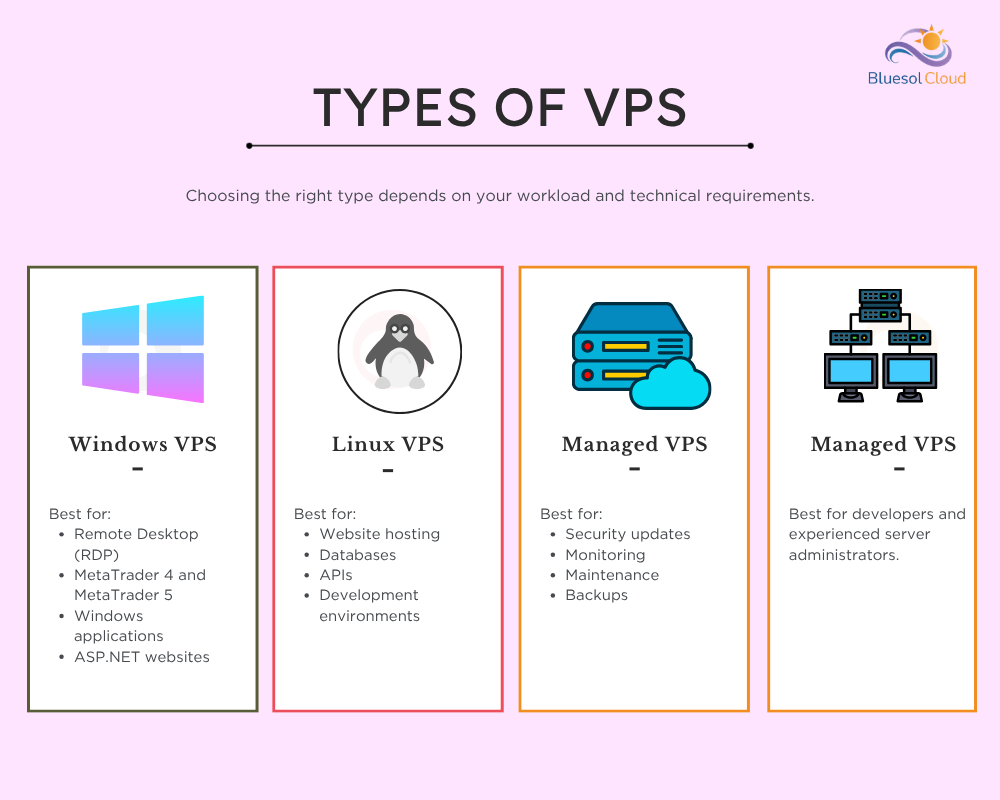
Types of VPS Servers:
Not all VPS servers are the same.
Choosing the right type depends on your workload and technical requirements.
1. Windows VPS
Windows VPS runs Microsoft Windows Server operating systems.
Best for:
- Remote Desktop (RDP)
- MetaTrader 4 and MetaTrader 5
- Windows applications
- ASP.NET websites
2. Linux VPS
Linux VPS runs operating systems such as Ubuntu, Debian, AlmaLinux, and Rocky Linux.
Best for:
- Website hosting
- Databases
- APIs
- Development environments
3. Managed VPS
The hosting provider manages:
- Security updates
- Monitoring
- Maintenance
- Backups
Ideal for beginners.
4. Unmanaged VPS
You manage everything yourself.
Best for developers and experienced server administrators.
What Can You Do With a VPS Server?
One of the biggest advantages of a VPS Server is administrator-level access.
Depending on your operating system, you typically receive:
- Administrator access (Windows VPS)
- Root access (Linux VPS)
This allows you to:
- Install custom software
- Run MT4 and MT5
- Configure security settings
- Create user accounts
- Host websites and applications
- Run trading bots
- Access the server remotely
Unlike shared hosting, a VPS Server gives you much greater flexibility and control.
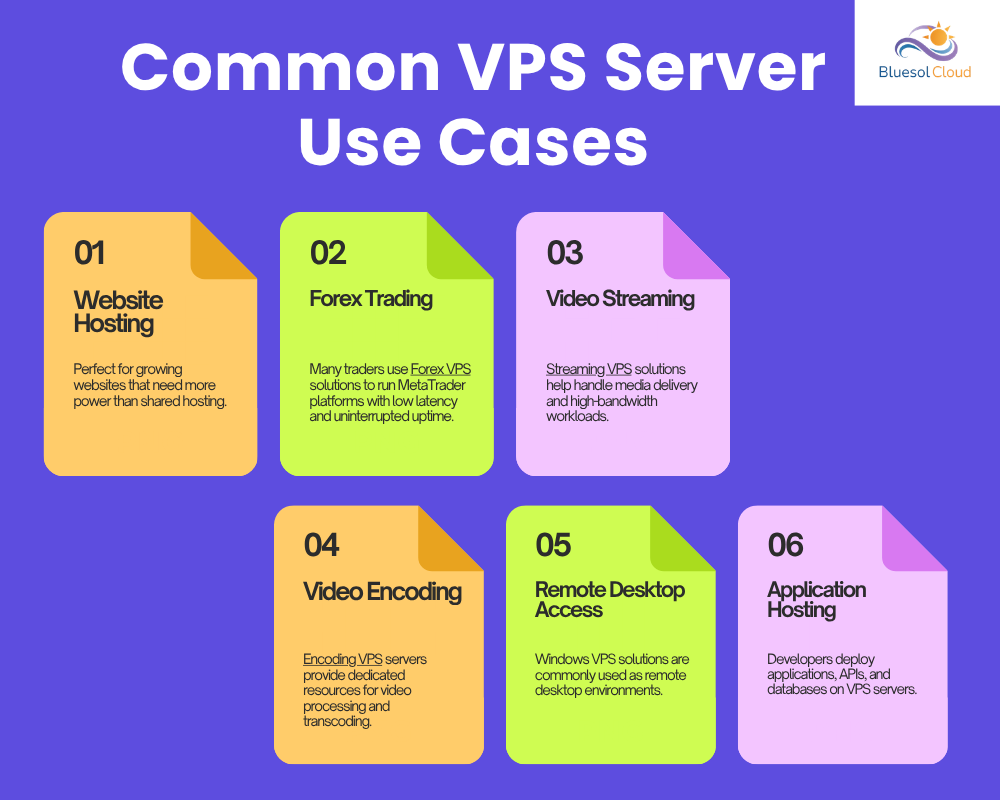
Common VPS Server Use Cases:
Businesses and individuals use VPS servers for many different purposes.
1. Website Hosting
Perfect for growing websites that need more power than shared hosting.
2. Forex Trading
Many traders use Forex VPS solutions to run MetaTrader platforms with low latency and uninterrupted uptime.
3. Video Streaming
Streaming VPS solutions help handle media delivery and high-bandwidth workloads.
4. Video Encoding
Encoding VPS servers provide dedicated resources for video processing and transcoding.
5. Remote Desktop Access
Windows VPS solutions are commonly used as remote desktop environments.
6. Application Hosting
Developers deploy applications, APIs, and databases on VPS servers.
Specialized VPS Solutions:
Modern businesses often need specialized VPS environments.
Forex VPS:
Designed for low-latency trading platforms.
Streaming VPS:
Optimized for media delivery and live streaming.
Encoding VPS:
Built for video rendering and transcoding workloads.
Residential VPS:
Provides residential IP-based environments.
GPU VPS:
Ideal for:
- Artificial Intelligence
- Machine Learning
- Rendering
- High-Performance Computing
10 Gbps VPS:
Designed for:
- High-bandwidth streaming
- Large file transfers
- Content delivery
- Network-intensive applications
VPS Server vs Dedicated Server:
A VPS server provides virtualized resources inside a physical server.
A dedicated server gives you an entire physical machine.
| Feature | VPS Server | Dedicated Server |
| Cost | Lower | Higher |
| Scalability | Flexible | Hardware Dependent |
| Resources | Virtualized | Fully Dedicated |
| Management | Easier | Advanced |
| Best For | Growing Businesses | Enterprise Workloads |
Many businesses start with VPS hosting and later move to dedicated servers as they grow.
When Should You Choose a VPS Server?
A VPS server is a great choice if:
- Your website has outgrown shared hosting
- You need root access
- You run trading software
- You host applications
- You need better performance
- You require more flexibility
For most growing businesses, VPS hosting is the sweet spot between cost and performance.
Frequently Asked Questions:
1. Is VPS better than shared hosting?
For growing websites and applications, VPS hosting usually offers better performance, security, and flexibility.
2. What is a VPS Server used for?
A VPS Server is commonly used for websites, business applications, Forex trading, remote desktop work, software development, and custom hosting environments.
3. Do I get full administrator access on a VPS Server?
Yes. Most VPS plans provide administrator access (Windows VPS) or root access (Linux VPS), allowing you to install software, configure settings, manage users, and control the server environment.
4. Can I install my own software on a VPS Server?
Yes. You can install applications such as WordPress, Python, Docker, MT4, MT5, web servers, databases, and other supported software, depending on your operating system.
5. Is VPS hosting secure?
Yes. VPS environments are isolated, making them generally more secure than shared hosting.
6. What operating systems can run on a VPS?
Most providers offer Windows VPS and Linux VPS options.
7. Can I upgrade my VPS later?
Yes. Most VPS plans can be upgraded as your requirements increase.
8. Do I need technical knowledge to use a VPS?
Not necessarily. Managed VPS plans are designed for users who don’t want to handle server administration themselves.
9. Is a VPS Server cheaper than a dedicated server?
Yes. VPS hosting offers many of the benefits of dedicated servers at a significantly lower cost.
Conclusion
A VPS server is one of the most flexible and cost-effective hosting solutions available today.
It offers dedicated resources, improved security, greater control, and better performance than shared hosting while remaining more affordable than a dedicated server.
Whether you’re hosting a website, running business applications, trading Forex, streaming content, processing videos, or managing remote desktop environments, VPS hosting provides the resources needed to grow with confidence.
At BluesolCloud, we offer scalable VPS solutions designed for businesses, developers, traders, and high-performance workloads.
One Response
I really liked the blog. The VPS concept is explained in a simple and beginner-friendly way, especially the apartment building example. The flow is easy to follow and makes a technical topic much less intimidating. Nice work!